From $15K to $300K: App Development Costs for Founders in 2026

Most apps built in 2026 land between $15,000 for a barebones MVP and $300,000-plus for enterprise builds, with a cross-platform MVP averaging around $76,000. The one rule that matters more than any number: lock your scope before you get quotes, and budget 15% to 20% of your build cost every year afterward for maintenance. Skip that step and your final invoice will not resemble your first estimate.
TL;DR:
- Keeping your project scope fixed before obtaining quotes is crucial to prevent cost overruns, as scope creep can inflate total expenses by up to 40 percent.
- Building a mid-complexity app typically costs between $50,000 and $150,000 and takes three to six months, often including user accounts, push notifications, and moderate API integrations.
- Native apps generally cost 1.8 to 2 times more than cross-platform solutions, with native features like AR, CarPlay, and high-performance graphics justifying the premium.
- The total cost after launch should include 15% to 20% of the initial build yearly for maintenance, covering updates, security, hosting, SaaS tools, and store fees.
- Using fixed-price quotes based on detailed phase breakdowns, combined with phased launches and platform choice optimization, can significantly control both build and ongoing costs.
Table of Contents
- App Development Cost Ranges by Complexity in 2026
- App Development Cost Breakdown by Phase
- Native vs. Cross-Platform vs. Web vs. Low-Code
- Regional Hourly Rates and How They Change Your Total
- What Your App Costs After Launch
- The Features That Actually Move Your Price
- How to Cut Your App’s Development and Lifetime Costs
- Real Budget Examples by Project Type
- How We Think About Pricing at Kello Solutions
- Get a Fixed-Price Quote for Your App
- Sources
- FAQ
App Development Cost Ranges by Complexity in 2026
Your budget depends almost entirely on which tier your project falls into, and most founders misjudge their own tier before they’ve even scoped the backend.
A simple app (a single-platform MVP with basic screens, one core feature, and no custom backend) typically runs $15,000 to $50,000 and takes 6 to 10 weeks to build. Think a habit tracker, a basic booking form, or a single-purpose utility app with local storage and minimal server logic.
A mid-complexity app costs $50,000 to $150,000 and takes 3 to 6 months. This tier covers apps with user accounts, push notifications, a real backend, and moderate API integrations, the kind of build most consumer startups actually need: a fitness app with social features, a marketplace app with in-app messaging, or a subscription content app.
A complex app runs $150,000 to $300,000, with timelines of 6 to 12 months. Expect real-time data sync, multiple third-party integrations, custom admin dashboards, and often multi-platform native builds. Ride-share style apps, fintech apps with live transaction processing, and telehealth platforms live here.

Enterprise apps exceed $300,000, sometimes reaching seven figures, with build cycles stretching past a year. These involve legacy system integration, custom compliance architecture, multi-region deployment, and dedicated DevOps pipelines from day one.
Where does the variance inside each band come from?
- Feature count and interdependency: five simple features that all talk to each other cost more than fifteen isolated ones.
- Design fidelity: a fully custom UI with animation work adds weeks that a template-based design skips.
- Backend complexity: real-time data, multi-tenant architecture, or heavy data processing pushes any project up a tier.
- Third-party integrations: payment processors, mapping APIs, and CRM connections each add discovery, testing, and ongoing maintenance work.
- Compliance requirements: HIPAA, PCI DSS, or GDPR obligations add audit and security work regardless of how simple the core feature set looks.
Clutch’s aggregate data puts the average project cost around $90,780, with typical timelines near 11 months, which tells you most real-world projects sit closer to the mid-complexity band than founders initially plan for.
App Development Cost Breakdown by Phase
Line-item budgeting is the difference between a quote you can negotiate and one you just have to trust. Every serious build breaks down into six phases, and each one has a rough share of the total spend.
- Discovery and scoping (5% to 10% of budget). This is where requirements, user flows, and technical architecture get defined. Skipping or rushing this phase is the single biggest predictor of budget overruns, since scope creep from an underscoped discovery phase can inflate total costs by 30% to 40%.
- UI/UX design (10% to 15%). Wireframes, prototypes, and visual design. A design system built here saves money later because developers aren’t guessing at component behavior mid-build.
- Frontend development (20% to 25%). The visible app: screens, navigation, animations, and client-side logic.
- QA and testing (10% to 15%). Device testing, security review, performance testing, and bug fixing across the target platforms.
- Launch and store submission (5%). App store optimization, submission prep, and handling review feedback.
Pro Tip: Budget an extra buffer specifically for app store rejection cycles. Apple and Google both reject first submissions routinely for privacy disclosure issues, metadata problems, or crash reports from their automated review tools, and each rejection cycle can cost a week of calendar time even when the fix itself takes an hour.
Hidden costs tend to cluster in three places. Licensing fees for premium SDKs (advanced mapping, video encoding, biometric authentication) can add thousands annually and rarely appear in an initial quote. Monitoring and crash reporting tools are often treated as an afterthought but become non-negotiable within weeks of launch. And submission and rejection cycles eat calendar time that vendors don’t always price into fixed timelines, even when they price it into cost.
The takeaway for anyone comparing vendor quotes: ask for a phase-by-phase breakdown, not a single lump sum. A vendor unwilling to show you where the backend percentage sits relative to frontend work is a vendor who hasn’t scoped the project carefully.

Native vs. Cross-Platform vs. Web vs. Low-Code
Your platform choice is the single biggest lever you control, and it moves cost more than almost any feature decision you’ll make.
Building two native apps (separate Swift/Kotlin codebases for iOS and Android) costs roughly 1.8 to 2 times what a single native app costs, since you’re maintaining two full codebases with two engineering teams or two skill sets. That’s a real-world saving of 30% to 45% compared to building two separate native codebases.
Web apps and progressive web apps cost the least to build and maintain since there’s no app store submission process and no platform-specific code, but you lose native device features and the discoverability that comes with app store presence. Low-code platforms compress timelines further for simple, form-heavy apps, but they hit a ceiling fast: anything with custom business logic or heavy third-party integration usually needs to be rebuilt on a proper codebase within a year or two.
When does native win despite the cost premium?
- AR and advanced camera features need direct access to platform-specific hardware APIs that cross-platform frameworks handle poorly or not at all.
- CarPlay and Android Auto integration require native SDKs with no meaningful cross-platform equivalent.
- High-performance graphics (gaming, video editing) perform noticeably worse through a cross-platform abstraction layer.
- Deep OS integration (widgets, background processing, biometric hardware) is faster and more reliable to build natively.
For everything else, cross-platform is the more defensible starting point. One teardown analysis of real app builds treats it as the single biggest cost lever available to a startup: choose native only when a specific hardware or graphics requirement forces your hand, not because it “feels” more premium.
The long-term trade-off matters too. Cross-platform code is generally easier and cheaper to maintain since one codebase serves two platforms, but native apps typically perform better under heavy load and get faster access to new OS-level features the day they ship.
Regional Hourly Rates and How They Change Your Total
Where your development team sits changes your total cost more than almost any other single decision, sometimes by a factor of three or four for the same scope of work.
| Region | Typical Hourly Rate | Notes |
|---|---|---|
| United States/Canada | $100+ | Highest rates, often justified by senior talent and closer time-zone collaboration |
| Western Europe | $80 to $150 | Strong senior talent pools, moderate time-zone overlap with US clients |
| Eastern Europe | $40+ | Popular for mid-to-senior talent at a meaningful discount to Western rates |
| South Asia/Southeast Asia | $20 to $50 | Lowest rates, but wider variance in senior engineering depth |
These bands aren’t a simple “pick the cheapest region” decision. Your actual cost depends on the blended rate, the weighted average across the seniority mix your project actually needs. A project staffed with two senior engineers at $150/hour and one junior at $50/hour for a 400-hour build comes to a blended rate of roughly $117/hour, not $50/hour just because a junior developer is technically on the team. Shifting that mix by even one seniority level changes your final invoice substantially, since senior engineers typically write code that needs far less rework.
Offshoring carries hidden overhead that rarely shows up in the hourly rate itself: time-zone coordination costs, communication friction on ambiguous requirements, and quality-control overhead if you’re not managing the relationship directly. Clutch’s data showing average project costs around $90,780 with 11-month timelines reflects a mix of all these regions and staffing models, which is part of why any single “average app cost” figure should be read as a starting point, not a ceiling or floor for your specific project.
What Your App Costs After Launch
Launch day isn’t the finish line, it’s the start of a recurring bill that catches most first-time app owners off guard.
The standard rule of thumb: budget 15% to 20% of your original build cost every year for maintenance. On a $100,000 build, that’s $15,000 to $20,000 annually, covering bug fixes, OS compatibility updates (both Apple and Google push major OS versions yearly, and your app needs to keep working with them), security patches, and minor feature refinements.
Beyond that maintenance percentage, three recurring cost categories need their own line items:
- Hosting and infrastructure: monthly costs range from a few hundred dollars for a low-traffic app to several thousand for one handling significant data or media traffic, and cloud pricing calculators are the most reliable way to model this before launch rather than guessing.
- Third-party SaaS tools: analytics platforms, push notification services, customer support tools, and crash reporting typically add $100 to $1,000+ monthly depending on user volume.
- App store fees: both platforms take a commission on in-app purchases and subscriptions, which directly affects your monetization math, not just your build budget.
Store economics shifted meaningfully in 2026. Apple’s App Store Small Business Program continues offering a reduced commission rate for developers under a revenue threshold, while Google Play decoupled its billing and service fees and introduced a separate 5% billing fee in key markets alongside adjusted service fees. If your app monetizes through in-app purchases or subscriptions, model these fee structures before you finalize pricing, because a few percentage points of commission compounds fast at scale.
Pro Tip: Treat your first year of maintenance budget as non-negotiable, not optional. Apps that skip a maintenance budget in year one almost always need an emergency, unplanned fix within six months, usually triggered by an OS update breaking a core feature.
The Features That Actually Move Your Price
Not all features cost the same, and the gap between “sounds simple” and “actually expensive” catches almost every first-time app owner.
Real-time chat and messaging rank among the priciest additions, since they require persistent connections, message queuing, and often push notification infrastructure built specifically to handle it. Payment processing adds significant scope even when you’re using a third-party processor, because PCI compliance touches your entire data handling architecture, not just the checkout screen. Real-time data sync (live location tracking, collaborative editing, live sports scores) demands backend architecture built for constant state updates, which is a fundamentally different engineering problem than a standard request-response app. AR features and media streaming both require specialized engineering talent that commands a premium over general app development rates.
Here’s how these features typically stack up by relative cost impact:
- Basic push notifications: low cost, standard SDK integration.
- In-app chat/messaging: moderate to high cost, especially with media attachments or group threads.
- Payment processing: moderate cost for basic checkout, high cost with subscription management, refunds, and multi-currency support.
- Real-time sync/live data: high cost, architecture-defining.
- AR features: high cost, platform-specific and hardware-dependent.
- Video/media streaming: high cost, especially with encoding, CDN, and adaptive bitrate requirements.
Compliance work deserves its own line item entirely. Apps handling health data (HIPAA), payment card data (PCI DSS), or European user data (GDPR) typically carry a meaningful cost premium beyond the base feature cost, driven by security audits, specialized QA processes, and data pipeline design that has to be defensible to a regulator, not just functional for a user. If you’re building in any of these categories, plan for external security audits as a recurring cost, not a one-time checkbox.
One decision that pays off over multiple years: building integrations in-house versus relying on third-party APIs. A third-party payment or mapping API costs less upfront but locks you into their pricing changes, rate limits, and occasional outages for the life of your app. Building the equivalent in-house costs more initially but gives you control over that cost curve going forward, a trade-off worth modeling explicitly if your app’s core value depends on that specific integration.
How to Cut Your App’s Development and Lifetime Costs
Cost control isn’t about cutting corners, it’s about cutting scope deliberately before you start, not after your budget runs out.
- Ruthlessly prioritize your MVP feature list. Write down every feature you want, then cut it to the three or four that prove your core value proposition. Everything else becomes a phase-two decision, not a launch blocker.
- Choose cross-platform by default. Unless your app needs AR, CarPlay, or heavy graphics work, a shared codebase saves real money without meaningfully hurting user experience for most app categories.
- Use backend-as-a-service (BaaS) and serverless architecture for simple builds. Tools that handle authentication, databases, and file storage out of the box eliminate weeks of custom backend work, though they trade some long-term flexibility for speed.
- Negotiate fixed-price phases instead of open-ended hourly billing. A milestone-based contract, discovery, then design, then each development sprint, gives you exit points if a vendor relationship isn’t working, without losing everything you’ve already paid for.
- Launch in phases rather than all at once. A phased rollout to a smaller user segment first catches expensive bugs before they hit your full user base, and lets you validate demand before committing budget to advanced features.
Pro Tip: When comparing vendor quotes, ask specifically what happens if a milestone is late or a feature needs revision after “done.” Fixed-price contracts only protect your budget if the definition of “complete” for each phase is written down before work starts, not negotiated after the fact.
The technical levers (cross-platform, BaaS, serverless) save money on the build. The commercial levers (fixed pricing, milestones, phased rollout) protect you from budget surprises during and after the build. Use both.
Real Budget Examples by Project Type
Numbers in the abstract are easy to nod along with. Here’s what three real project types actually break down to.
MVP example: single-platform booking app. Total budget around $35,000 over 8 weeks. Discovery and scoping: $2,500. Design: $4,500. Frontend (single platform): $12,000. Backend (basic booking logic, no real-time sync): $10,000. QA: $4,000. Launch: $2,000.
Mid-scope example: consumer app with subscriptions. Total budget around $110,000 over 5 months. This includes user accounts, a subscription paywall, push notifications, and a moderate backend with a couple of third-party integrations (payment processor, analytics).
Complex/compliance-heavy example: telehealth platform. Total budget around $250,000 over 9 months, driven by HIPAA-compliant data architecture, video consultation infrastructure, and a security audit built into the QA phase rather than bolted on afterward.
| Project Type | Total Budget | Timeline | Biggest Cost Driver |
|---|---|---|---|
| MVP booking app | ~$35,000 | 8 weeks | Frontend build (single platform) |
| Mid-scope subscription app | ~$110,000 | 5 months | Backend and subscription logic |
| Compliance-heavy telehealth app | ~$250,000 | 9 months | HIPAA compliance and security audits |
These three examples map roughly onto the industry-wide averages: a cross-platform MVP averaging around $76,000 and Clutch’s broader dataset averaging $90,780 across all project types. Your actual number depends on where your feature list, compliance needs, and platform choice land you inside these bands, not on a single industry average that flattens all three into one number.
How We Think About Pricing at Kello Solutions
Most of the cost confusion in this industry comes from vendors quoting a number before they’ve actually scoped the work, then padding the invoice once “unexpected” complexity shows up mid-build. It’s not usually deception. It’s a business model built on hourly billing, where ambiguity is profitable for the vendor and expensive for you.
Some vendors run the opposite way, scoping projects first, pricing them as fixed numbers, and setting delivery dates before writing code. Clients get one dedicated contact for the entire project lifecycle, not a rotating cast of account managers translating requests to an engineering team they never talk to directly.
The bigger structural difference is who actually writes your code. We work exclusively with senior engineers, no junior staff learning on your budget, no management layers translating requirements badly between meetings. That’s the same blended-rate principle covered earlier in this article, applied deliberately: senior-only teams cost more per hour but need far less rework, which is usually why a fixed price holds instead of ballooning into change orders. If you’ve been burned by a project that “should have taken three months” stretching into nine, that’s usually a scoping failure baked into the sales process at the start, not an engineering problem.
— Ints
Get a Fixed-Price Quote for Your App
If you’ve read this far, you already know the real risk in app development isn’t the price tag, it’s the uncertainty around it. Kello Solutions builds every project around a fixed price and a delivery date agreed before work starts, so you know your total cost the same week you sign, not three months into an open-ended hourly contract.
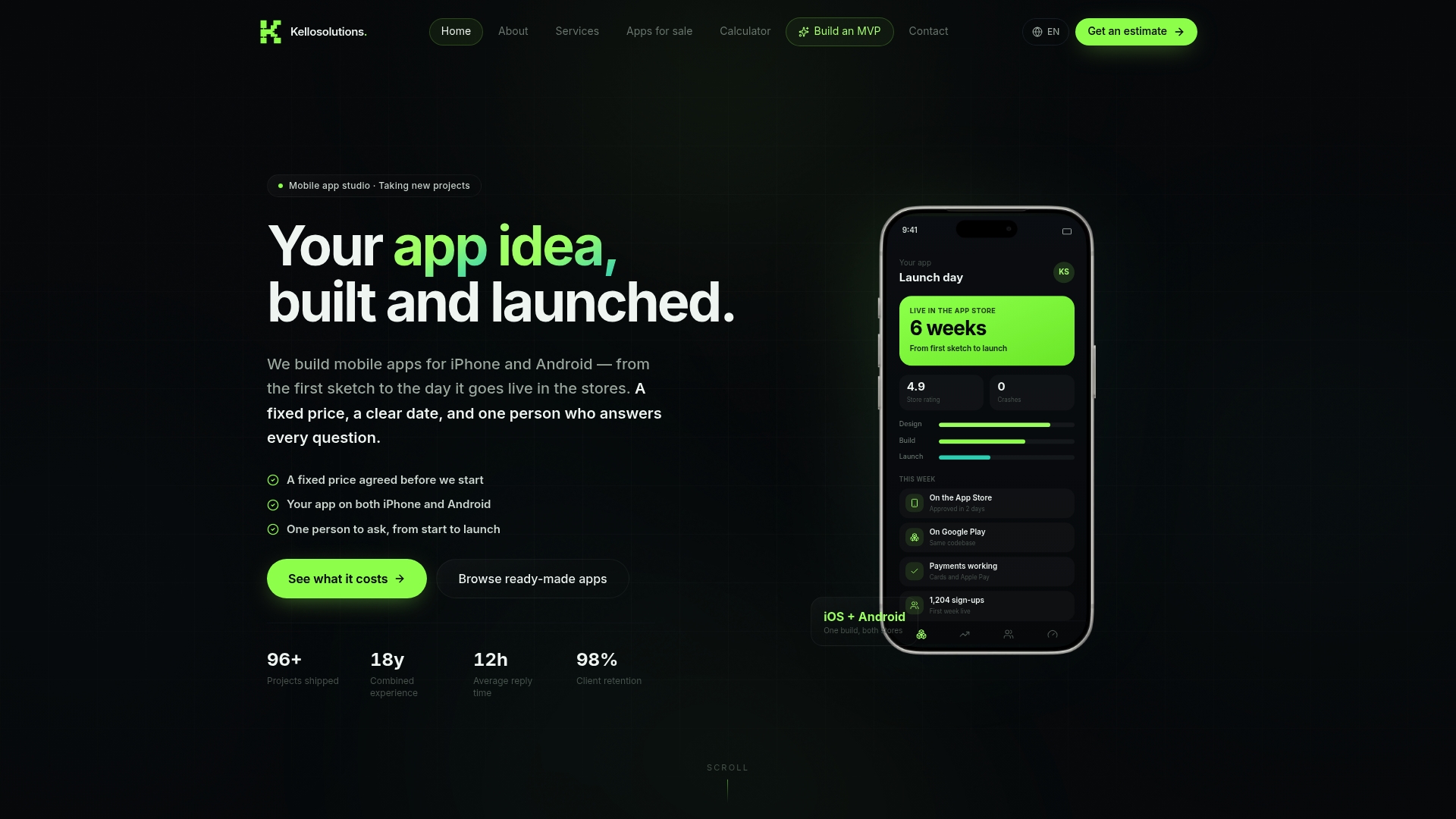
Our core services cover mobile development for iPhone and Android, web and backend development, SaaS platform builds, and cloud/DevOps work, all quoted as fixed-price engagements with one accountable contact from kickoff to handover. If your project is closer to the MVP end of the spectrum, the MVP builder is a fixed 89 EUR starting point for a rapid, lower-uncertainty launch path.
To get a fast, accurate quote, come prepared with your core user flows, any third-party integrations you already know you need (payments, maps, chat), your target platforms, and your target markets. The more specific your brief, the faster we can turn around a number you can actually plan around.
Sources
Run your own project through at least one calculator before you accept a vendor quote. The tools below cover different angles of the same question.
- Mobile App Development Cost Calculator (2026) | TECHSY
- App Development Pricing Guide September 2026 | Clutch
- App Store Small Business Program | Apple Developer
- Expanded billing choice and lower fees on Google Play | Android Developers
- Pricing calculator | Microsoft Azure
Cross-check at least two of these before finalizing your own budget. A calculator that only shows a single number without a range is usually oversimplifying your specific scope.
FAQ
Can I build my own app for free?
You can build a basic app for free using no-code platforms if you’re only validating an idea with minimal functionality, but anything with a custom backend, real integrations, or app store submission almost always requires paid tools, developer accounts, or actual engineering time. The “free” route mostly works for prototypes you never intend to publish at scale.
How much can a 1,000-download app make?
Revenue from 1,000 downloads depends entirely on your monetization model, including whether your app is free, paid, or offers in-app purchases. Store commission structures, including Apple’s Small Business Program rates and Google Play’s billing fee changes, also reduce your take-home revenue on any in-app transaction.
Is owning an app profitable?
Profitability depends on whether your revenue model covers both your build cost and your recurring maintenance spend, which typically runs 15% to 20% of the original build cost annually. Most unprofitable apps fail not because the idea was bad, but because the owner budgeted for launch and never planned for the ongoing cost of keeping it running.
Do I need an LLC to start an app?
An LLC isn’t required to build or launch an app, but it’s worth setting up before you generate real revenue, since it separates your personal liability from business liability and simplifies taxes and contracts with development vendors. If you’re commissioning fixed-price development work like the projects described through Kello Solutions’ services, having a business entity in place also makes contract and payment terms cleaner on both sides.