CheckBUY | Shopping
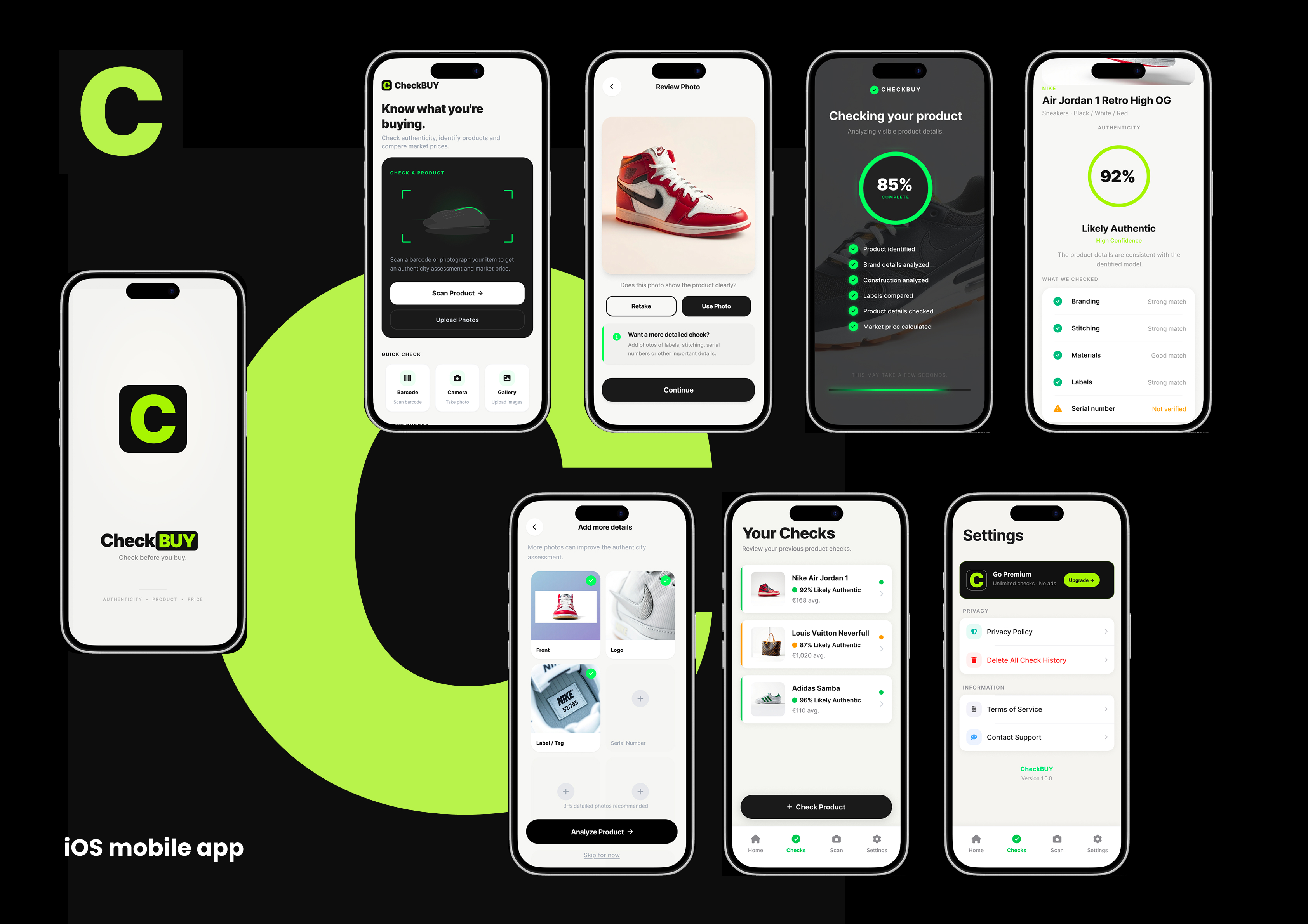
Scan a product, check its estimated authenticity, identify key details, and see its average online price — all in one simple check.
À propos de ce projet
Not sure if that product is real? Check before you buy. CheckBUY helps you make smarter purchasing decisions by analyzing products such as sneakers, bags, jackets, clothing, watches, sunglasses and accessories. Simply take a photo or scan a QR code to identify the product and receive an easy-to-understand authenticity assessment, product information and estimated online price. KEY FEATURES - Authenticity Check Get an estimated authenticity percentage based on visible product details and the information available. - Scan Products Take a photo of sneakers, bags, jackets, clothing, watches and other products to start a check. - QR Code Scanner Scan a product QR code to help identify the item and begin the analysis. - Detailed Product Check Check important details including branding, stitching, materials, labels and other visible characteristics. - Product Information Discover the identified brand, model, category, color and other available product details. - Average Online Price See an estimated average online price and typical market range for the identified product. - Deal Check Enter the price you're being offered and see whether it appears to be below, around or above the estimated market price. - Simple Results Everything is presented in one clear result screen — authenticity, product details and price without complicated dashboards. - No Account Required No registration, login or user profile is required. Open CheckBUY and start checking products immediately. HOW IT WORKS 1. Scan Take a product photo or scan its QR code. 2. Add Details Add additional photos of labels, logos, stitching, serial numbers or other important details when available. 3. Check CheckBUY analyzes the available product information. 4. Review See the estimated authenticity, product information and average online price in one place. 5. Decide Use the information to help decide whether the product is worth buying.
Ce qui est inclus
- iOS app
- Source Code
Ce qui se passe quand vous achetez
- 1
Vous payez une fois
Paiement par carte via Stripe. Le projet quitte le catalogue dès que le paiement passe — il est vendu à un seul propriétaire, pas licencié à plusieurs.
- 2
Le code se télécharge immédiatement
Aucune attente, aucun e-mail nécessaire. L'archive complète est sur cette page dès que le paiement passe, et le lien vous est aussi envoyé pour qu'un onglet fermé ne coûte rien.
- 3
Vous nous envoyez deux informations Apple
Votre Team ID de développeur Apple et l'Apple ID propriétaire de votre compte développeur. Un formulaire apparaît ici dès le paiement effectué — cela prend une minute.
- 4
Nous transférons la fiche App Store
L'application en ligne passe dans votre compte Apple, en gardant ses avis, ses notes, son historique de classement et tous ceux qui l'ont déjà installée. La prochaine mise à jour, c'est vous qui la publiez.