FileFly | Share & Upload Files
iOS App + Web App — File Sharing Utility, Credit-Based IAP
À propos de ce projet
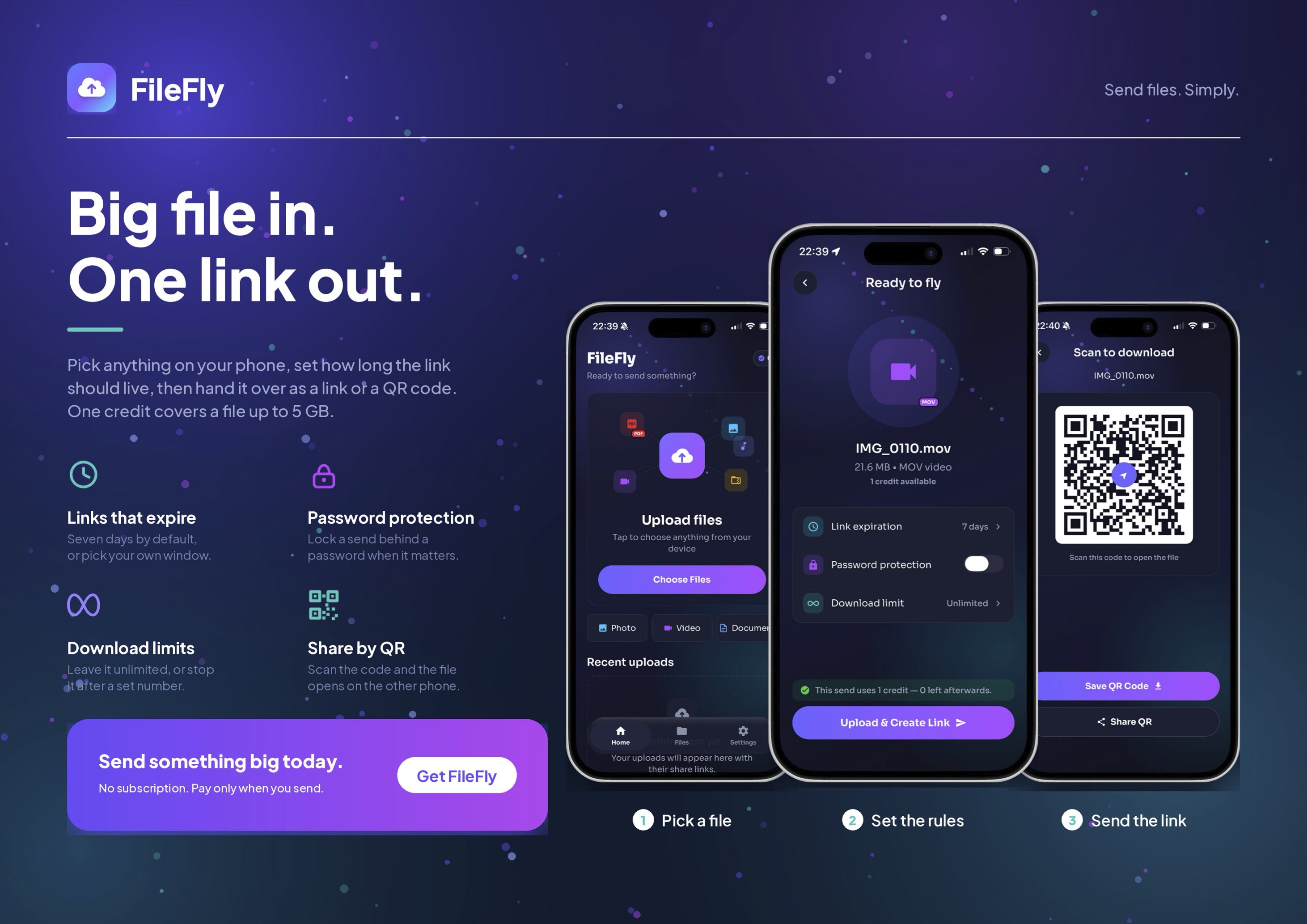
FileFly | File Sharing Utility — iOS + Web App iOS App + Web App — File Sharing Utility, Credit-Based IAP, Live on App Store Release status: Live on App Store Technology: React Native CLI, Next.js & Vercel In-App Purchases: EUR 0.99 / EUR 3.99 / EUR 17.99 credit packs. Credits are purchased once and never expire. Domain: https://filefly-two.vercel.app/upload Market Opportunity FileFly is a file-transfer utility in the same category as WeTransfer, Smash, and Send Anywhere, built specifically for users who need to send a file without creating an account. The concept is intentionally simple: Pick a File → Upload → Get a Share Link → Send It. Free transfers support files up to 10 MB with links that remain available for seven days. Larger transfers — up to 5 GB — are unlocked using prepaid credits. Unlike many file-transfer services that push users toward registration, subscriptions, or recurring plans, FileFly is built around a one-off use case. No Sign-Up. No Email. No Password. No Profile. The device generates an anonymous identity on first use, allowing users to start transferring files immediately. Why FileFly? Most people don't need a permanent file-transfer account. They simply need to send a large file once — to a client, friend, colleague, family member, or another device. FileFly removes the biggest friction point from this process: account creation. Users can open the app, select their file, upload it, and immediately receive a shareable link. The prepaid credit model also matches the behavior of occasional file-transfer users. Instead of paying a recurring subscription for a service they may only use a few times per year, users can purchase credits when they actually need a larger transfer. What's Included in the Sale Live iOS app on the App Store — Productivity category, approved and shipping iOS 15.1+ support Apple Silicon Mac and Vision Pro compatibility Web application with feature parity for upload, link management, credits, and settings Shared backend and API serving both clients Credit ledger and anonymous device-linking system Full source code for iOS app, web application, and backend Brand assets — name, logo, icon, App Store screenshots, copy, and landing-page design In-App Purchase products already configured in App Store Connect Three credit tiers: EUR 0.99 / EUR 3.99 / EUR 17.99 Existing domain and deployed web application Technical Overview The web application is built with Next.js and deployed on Vercel. The iOS application is built using React Native. The backend and API serve both the mobile and web clients, creating a shared infrastructure that can also support future platforms. Three architectural decisions are particularly relevant for a technical buyer: Direct-to-Storage Uploads – Uploads bypass the API entirely. The client requests a short-lived signed URL and writes directly to object storage. File bytes never transit the application server, helping keep compute costs flat regardless of transfer volume and avoiding a common scaling bottleneck for file-transfer products. Real File Expiration – When a share link expires, the associated object is deleted rather than simply hidden behind a database flag. Share codes are never recycled, meaning an expired link cannot later resolve to another user's file. Secure Link Passwords – Link passwords are stored as salted scrypt hashes rather than recoverable plaintext values. This provides the appropriate security posture for a product that intentionally has no account-recovery system. File Sharing Experience The entire product is designed around a minimal workflow: 1. Select a File Choose a file from the device. 2. Upload FileFly securely uploads the file using the appropriate transfer flow. 3. Create a Link The system generates a unique shareable link. 4. Share Send the link to the recipient through the user's preferred
Ce qui est inclus
- Live iOS app on the App Store — Productivity category
- approved and shipping
- iOS 15.1+ support
- Apple Silicon Mac and Vision Pro compatibility
- Web application with feature parity for upload
- link management
- credits
- and settings
- Shared backend and API serving both clients
- Credit ledger and anonymous device-linking system
- Full source code for iOS app
- web application
Ce qui se passe quand vous achetez
- 1
Vous payez une fois
Paiement par carte via Stripe. Le projet quitte le catalogue dès que le paiement passe — il est vendu à un seul propriétaire, pas licencié à plusieurs.
- 2
Le code se télécharge immédiatement
Aucune attente, aucun e-mail nécessaire. L'archive complète est sur cette page dès que le paiement passe, et le lien vous est aussi envoyé pour qu'un onglet fermé ne coûte rien.
- 3
Vous nous envoyez deux informations Apple
Votre Team ID de développeur Apple et l'Apple ID propriétaire de votre compte développeur. Un formulaire apparaît ici dès le paiement effectué — cela prend une minute.
- 4
Nous transférons la fiche App Store
L'application en ligne passe dans votre compte Apple, en gardant ses avis, ses notes, son historique de classement et tous ceux qui l'ont déjà installée. La prochaine mise à jour, c'est vous qui la publiez.